
01 / STAGE
Stage changes
Arezgit keeps staged and unstaged work clearly separated, so you always know what the commit will include.
Arezgit combines staged diff review, AI-assisted code analysis, and local security scans so you can find bugs, risky changes, and exposed credentials before you commit or push.
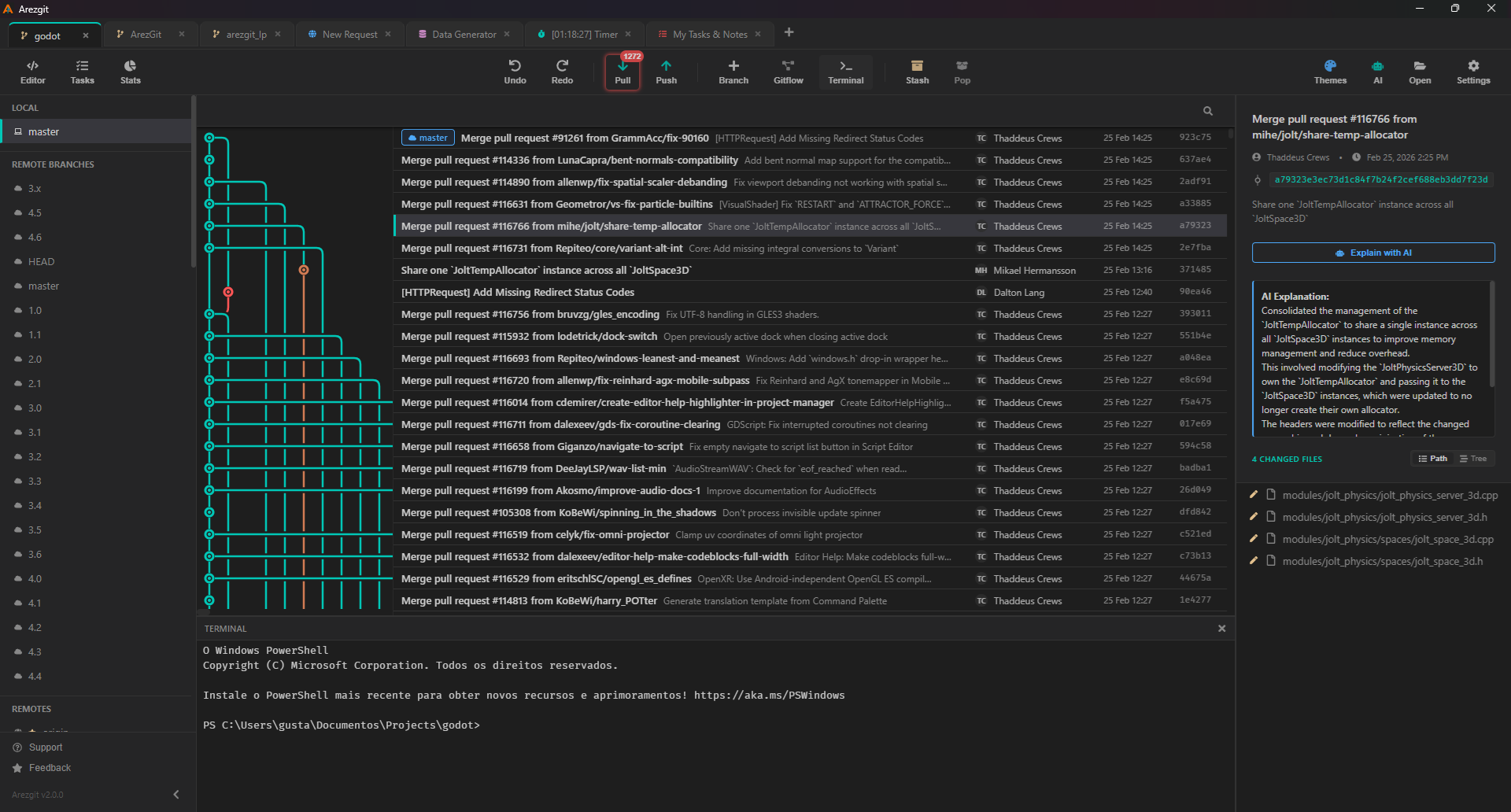
Arezgit adds review and security checks where they help most. See the risks in context, fix them, and commit with confidence.
Arezgit keeps staged and unstaged work clearly separated, so you always know what the commit will include.
Code review and security checks point to potential problems in the files and lines where they appear.
Arezgit checks the current staged state again and reviews outgoing commits before they are pushed.
Arezgit scans staged changes on your computer, explains each risk, and opens the exact file and line that needs attention.
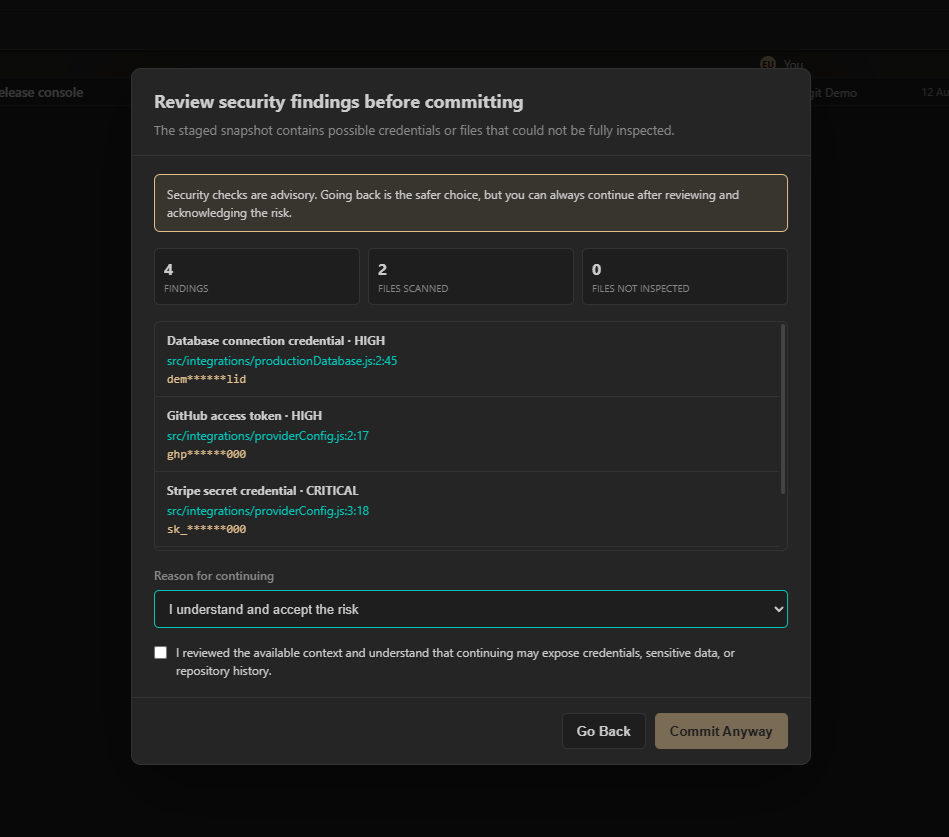
“Arezgit takes you directly to the file and line that needs to be fixed.”
See the risk level, suggested fix, and masked secret.
Open the exact file, line, and column that needs attention.
Fix the issue, stage the file again, and run a new scan.
Review outgoing commits before pushing them to the remote repository.
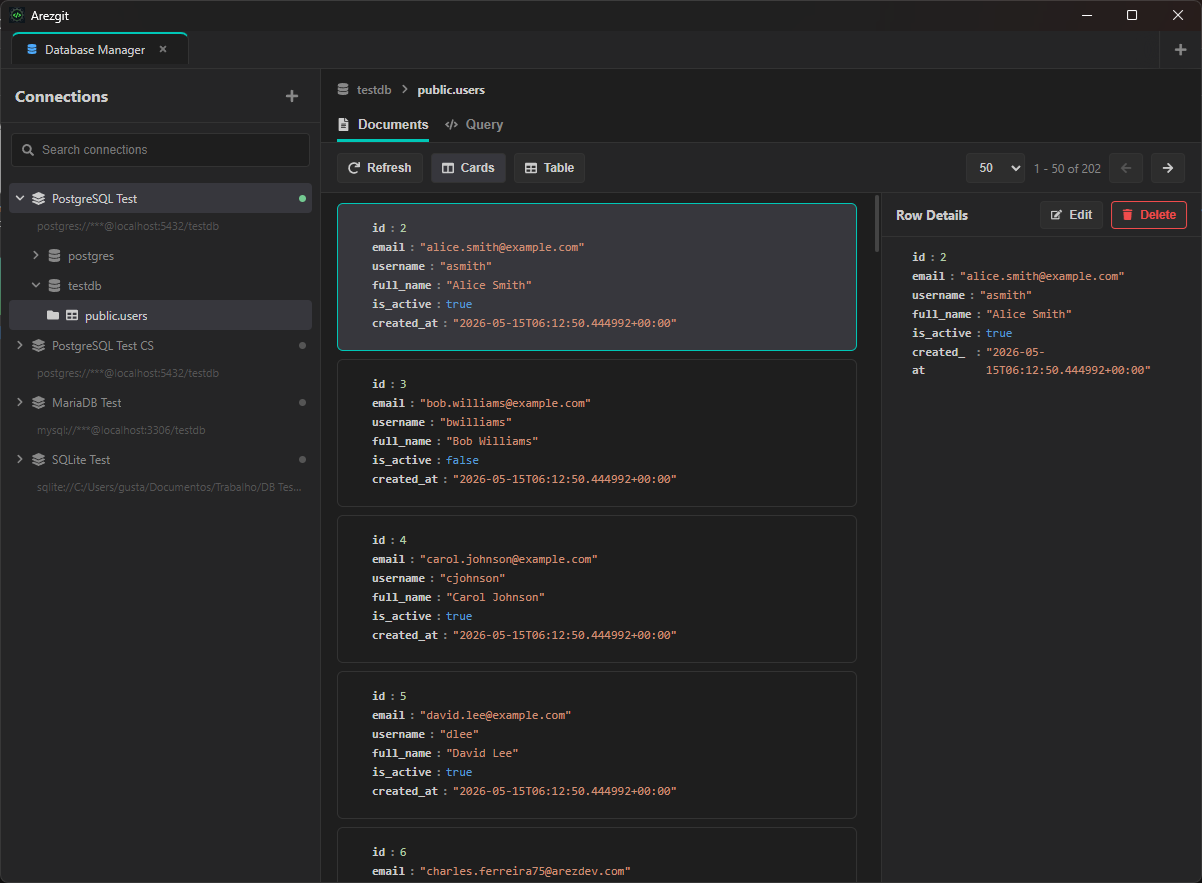
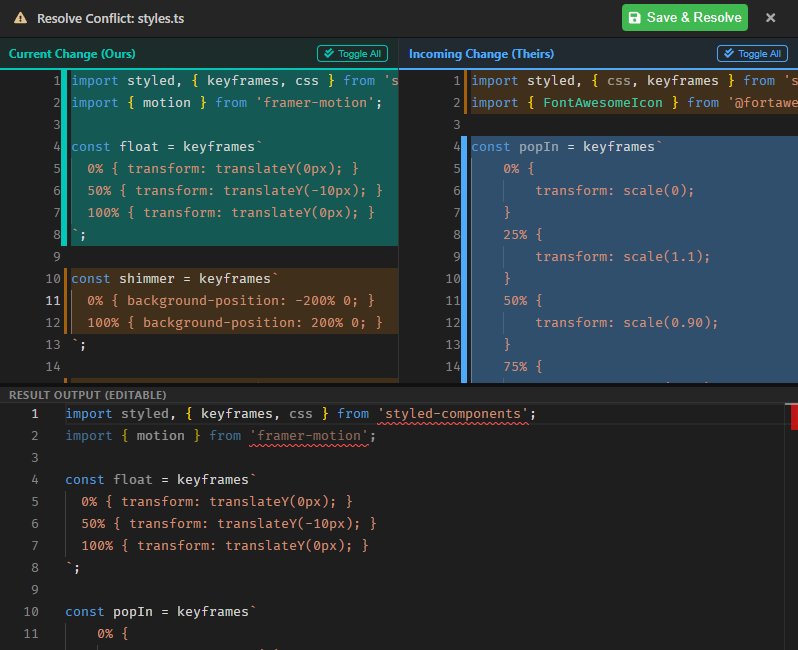
Review code, test APIs, inspect databases, resolve conflicts, and prepare releases without switching between multiple apps.
Open history, blame, diffs, files, and a terminal without leaving the desktop app.
Code editor / terminal / history / image diffRun HTTP requests, check responses, inspect databases, and create repeatable mock data.
HTTP runner / database tools / mock dataReview staged changes, write release notes, and get SemVer guidance for one or multiple repositories.
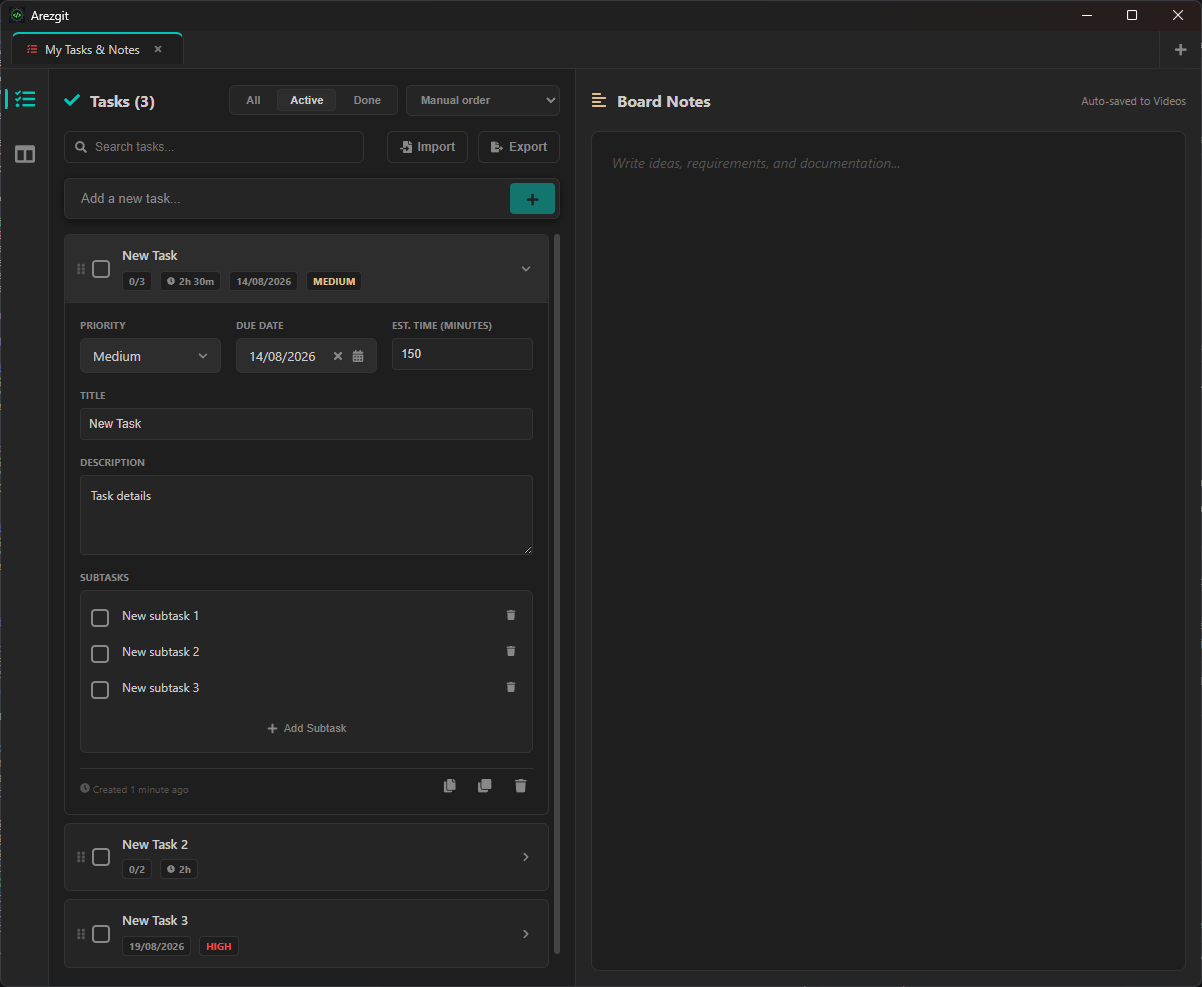
AI review / release notes / multi-repository statusTrack tasks, write project notes, run timers, and reuse your workspace setup.
Tasks / notes / timers / themes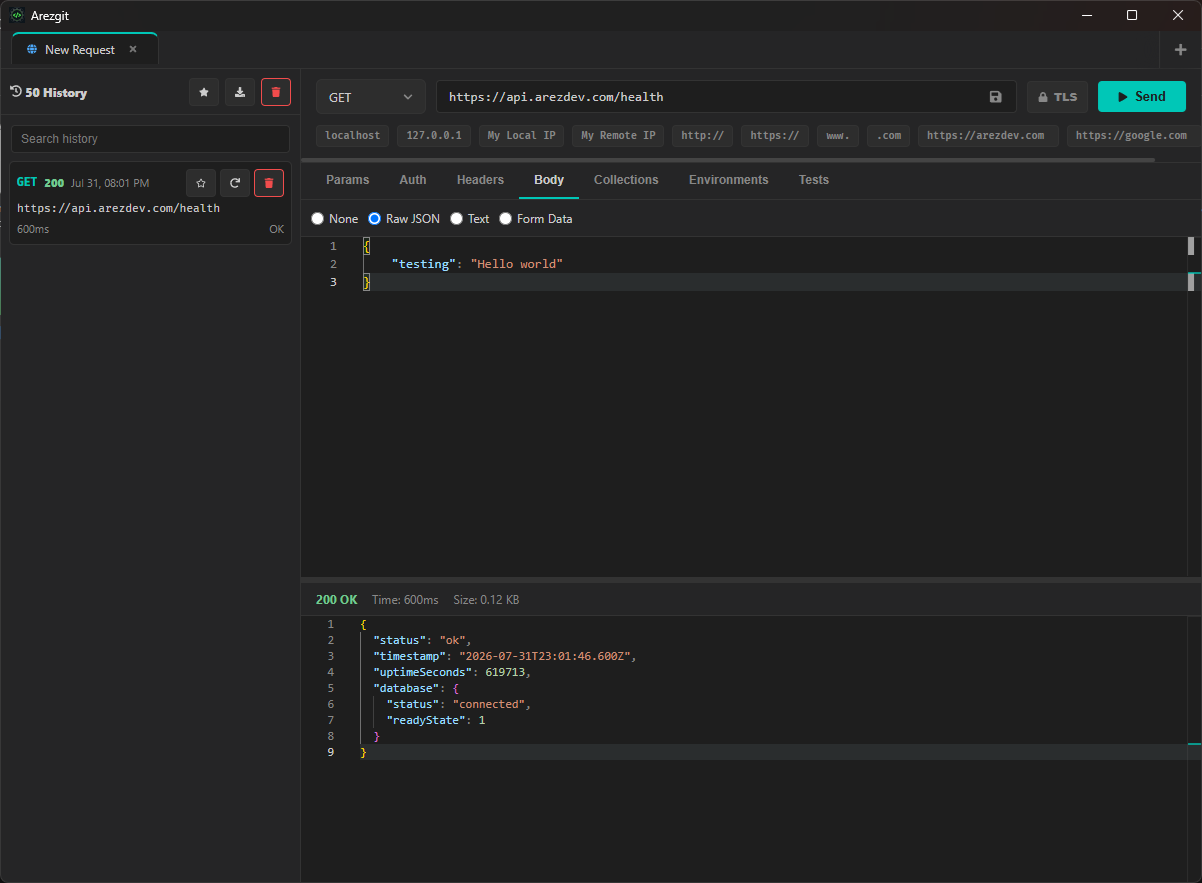
The complete development workspace, with no subscription, license fee, or paid upgrade.
All Arezgit features are included in Free: Git workflows, security scans, AI review and releases, HTTP tools, databases, multiple repositories, mock data, task boards, notes, timers, and every theme.
AI runs only when you request it, using your configured provider. External providers may charge for tokens directly. Any charges are paid to them, never to Arezgit.
All Arezgit features are included in Free: Git workflows, security scans, AI review and releases, HTTP tools, databases, multiple repositories, mock data, task boards, notes, timers, and every theme.
Core Git status, history, diffs, staging, conflict resolution, and Security Preflight run on your machine. Repository source, paths, diffs, and findings are never sent to Arezgit or a third party unless you explicitly start an AI-powered action.
No scanner can guarantee that. Arezgit checks the exact staged snapshot against known patterns, reports incomplete coverage, and gives you actionable context so you can make a better decision before committing or pushing.
All Arezgit features are included in Free, including Git status, history, blame, staging, text and image diffs, branches, Gitflow, stash, commits and conflict resolution; the code editor and terminal; local security checks before commit and push; AI code review, release notes and SemVer guidance; multiple repositories and batch actions; HTTP requests, collections, environments and automated tests; database browsing, editing, query history and exports; mock data generation; task boards, project notes and timers; repository statistics, workspace customization and every theme.
AI runs only when you request it, using your configured provider. External providers may charge for tokens directly. Any charges are paid to them, never to Arezgit.
When connected, Arezgit downloads the latest compatible update automatically. Save your files and finish active operations; installation waits until your workspace is ready to restart.
Yes. Local features work offline. Network integrations need a connection. Updates resume when you reconnect.